Introduction
I remember staring at a blank code editor for the first time, completely overwhelmed, convinced I needed years of study before building anything real. That wasn’t true, and I wish someone had told me sooner. If you want to learn how to build a website from scratch, this breaks the process into manageable steps, without assuming you already know terms like “hosting” or “domain” — because at the start, honestly, nobody does.
Understanding What “From Scratch” Actually Means
Direct answer: building a website from scratch means creating it using core web technologies (HTML, CSS, and optionally JavaScript) rather than relying entirely on drag-and-drop website builders. It gives you more control and understanding, though it does require a bit more initial learning than using a pre-built platform.
That said, there’s no shame in starting with a builder tool either — this guide covers the from-scratch path for anyone wanting deeper understanding and control.
Step One: Plan Before You Touch Any Code
Skipping this step is the most common beginner mistake. Jumping straight into coding without a clear plan usually means rebuilding everything halfway through.
- Define your website’s core purpose — portfolio, blog, business site, something else entirely
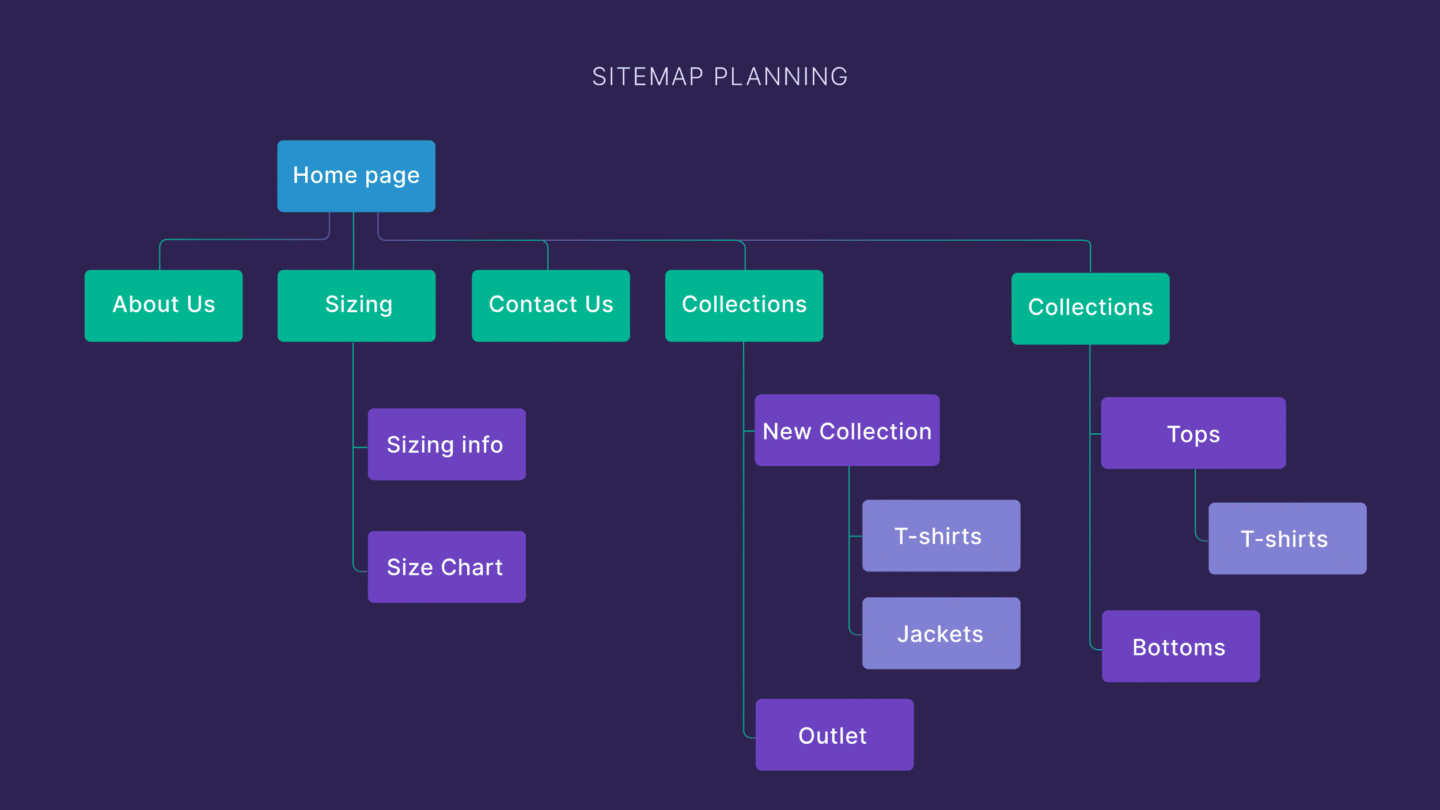
- Sketch a rough layout, even just on paper, before building anything
- List the essential pages you actually need — don’t overcomplicate this early on
Step Two: Learn the Basics of HTML
HTML forms the actual structure of every webpage — think of it as the skeleton. You don’t need to memorize everything; understanding the core structure gets you surprisingly far.
Picture building your first page with just a heading, some text, and an image — that alone teaches you the fundamental building blocks nearly every website relies on.
[link to related guide about best free software alternatives here]
Step Three: Style It With CSS
Once your content has structure, CSS controls how it actually looks — colors, spacing, fonts, layout. This is where a plain page starts feeling like a real website.
- Start with basic styling: colors, fonts, and spacing
- Learn flexbox or grid for layout — these handle most modern website structures
- Don’t aim for perfection immediately; refine styling gradually as you learn more
Step Four: Add Interactivity With JavaScript (Optional but Useful)
Not every website needs JavaScript, but it’s what makes pages interactive — dropdown menus, form validation, dynamic content updates.
Numbers worth noting: surveys of web developers consistently show JavaScript as one of the most widely used programming languages globally, largely because nearly every modern website relies on it in some capacity.
[link to related guide about best web development frameworks 2026 here]
Step Five: Choose a Domain Name and Hosting
Your website needs an address (domain name) and a place to actually live online (hosting). This step trips up a lot of beginners simply because there are too many options presented at once.
- Choose a domain name that’s short, memorable, and relevant to your site’s purpose
- Compare hosting providers based on reliability, support, and pricing — not just the cheapest option
- Many hosting providers offer beginner-friendly setup guides specifically for this step
Step Six: Test Before You Launch
Has this happened to you — publishing something and immediately spotting an obvious mistake? Testing thoroughly beforehand prevents that.
- Check your website on different devices (phone, tablet, desktop)
- Test all links and forms to confirm they actually work as intended
- Ask someone else to browse it — fresh eyes catch things you’ve stopped noticing
Step Seven: Launch and Keep Improving
Your first version doesn’t need to be perfect. Launch it, then improve based on real feedback and your own growing skills.
[link to related guide about best cybersecurity practices here]
I still update my very first website occasionally, years later — it’s genuinely never “finished,” and that’s completely normal.
Suggested image alt text: “Beginner coding a simple website using HTML and CSS on a laptop screen”
FAQ
Q: Do I need to know coding to build a website from scratch? A: Yes, at least basic HTML and CSS — but both are genuinely learnable within a few weeks of consistent practice, even without prior experience.
Q: How long does it take to build a basic website from scratch? A: A simple website can realistically be built within a few days to a couple of weeks for a complete beginner, depending on complexity.
Q: What’s the difference between a domain and hosting? A: A domain is your website’s address (like example.com); hosting is the actual server space where your website’s files live.
Q: Is building from scratch better than using a website builder? A: It depends on your goals — from-scratch offers more control and learning, while builders offer speed and simplicity for quick projects.
Q: Do I need JavaScript for a basic website? A: Not necessarily — HTML and CSS alone can build a functional, attractive website; JavaScript adds interactivity when needed.
Conclusion
Learning how to build a website from scratch feels overwhelming initially, but breaking it into these steps makes it genuinely manageable, even without prior experience. Start small, build one simple page, and expand gradually as your confidence grows. What kind of website are you hoping to build first — that’s exactly where to begin today.